The word ERP rarely means the same thing to any two companies. For a growing distributor it might be the accounting and inventory tool they log into every day. For a manufacturer it is the system that ties production, procurement, and fulfillment together. For a large enterprise it is a sprawling suite that touches nearly every department. What all of these have in common is the job they do: running the core of the business. And whatever form that system takes, the moment it ages into a legacy platform, the whole operation starts to feel the drag.
Think of it as the central nervous system of an enterprise's operations, connecting essential functions such as accounting, human resources, and supply chain management into one coordinated whole. As technology evolves, though, legacy ERP systems become outdated and inefficient, slowing down the processes they were meant to speed up. Outdated technology, data silos, and rising maintenance costs eventually push most organizations toward a legacy system migration.
What Is a Legacy System in ERP?
Legacy ERP systems are older, often outdated software solutions that have been in use for an extended period. These systems were typically designed to meet specific business needs at the time of their implementation, but now lack the flexibility, scalability, and efficiency required to meet modern demands.
They are characterized by outdated technology, cumbersome interfaces, limited integration capabilities, and high maintenance costs. It can even reach the point where the teams responsible for using and maintaining the system no longer know how to perform all the essential functions needed to get value from it.
What Are the Challenges of Legacy ERP?
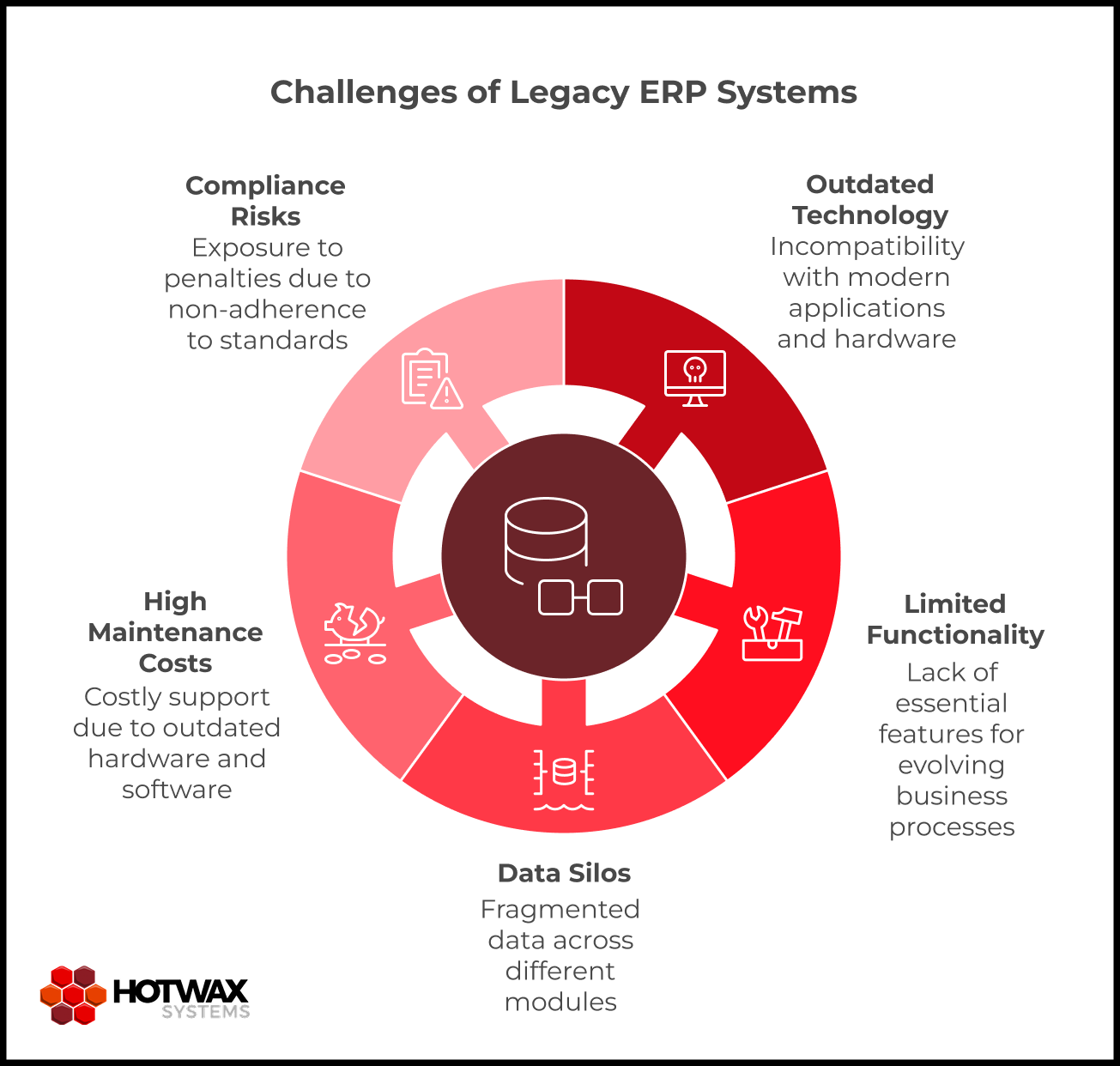
Legacy ERP systems can present a range of challenges, including:
- Outdated technology: Legacy systems often run on obsolete technology stacks, which makes them incompatible with more modern applications and hardware. This limits the organization in many ways, including which additional systems it can add to its operations.
- Limited functionality: Legacy ERP systems may lack features required to support evolving business processes and industry standards. This ties back to the first point, since an organization's ability to be nimble, responsive, and grow depends on the technology it relies on.
- Data silos: Data stored in legacy systems is often fragmented across different modules, which makes it hard to access and analyze information in real time. It also defeats the purpose of an ERP, since a core reason for ERP adoption is to consolidate and connect essential data across the organization.
- High maintenance costs: Maintaining legacy ERP systems can be costly due to outdated hardware, software licenses, and reliance on specialized expertise. Legacy systems frequently cost more than they are worth and demand more time and effort than an updated system would.
- Compliance risks: Legacy systems may not meet current regulatory standards, exposing businesses to compliance risks and potential penalties. For industries that must maintain high levels of security and regulatory compliance, this risk is hard to overstate.
How to Migrate From One ERP to Another
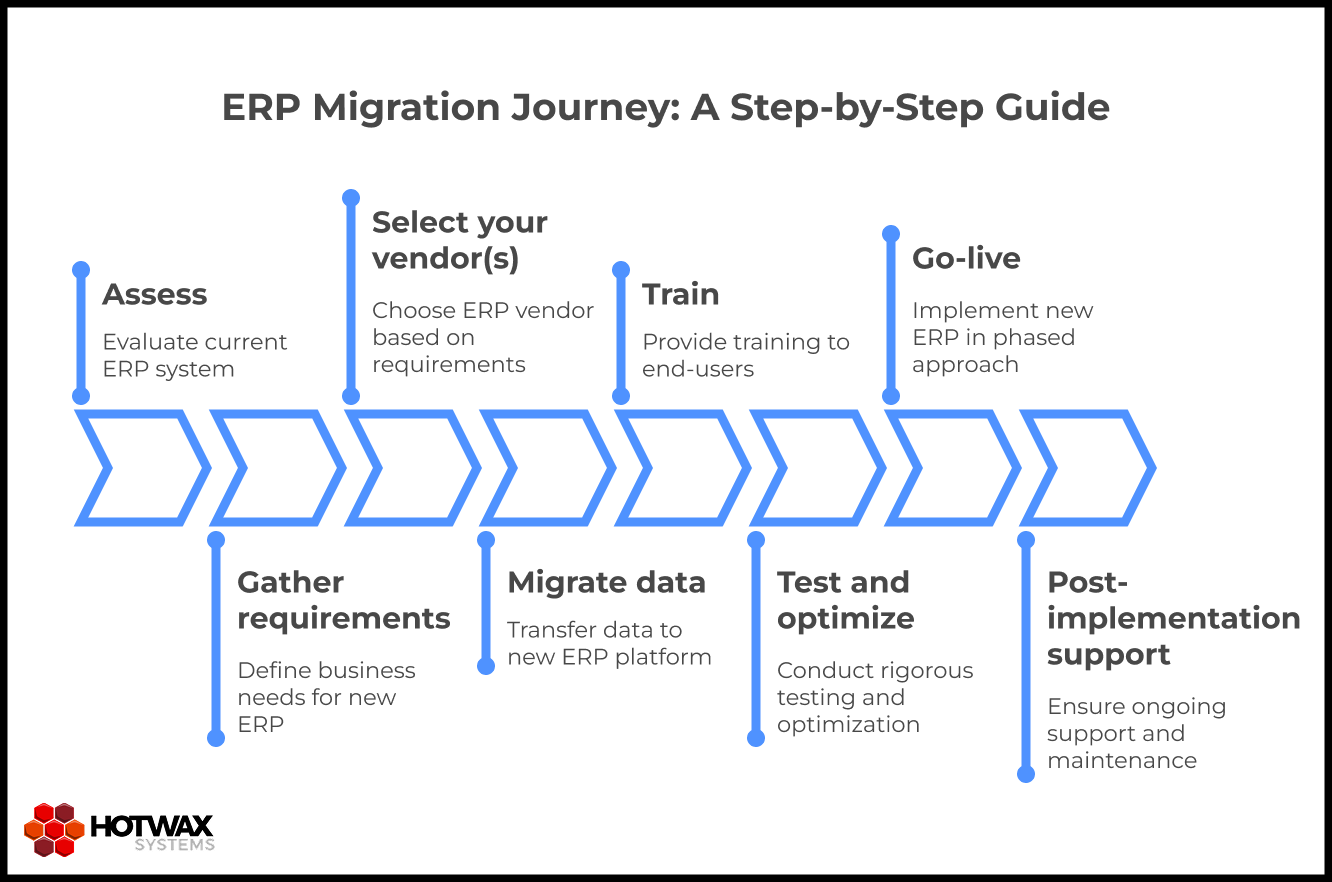
A legacy system migration requires careful planning and execution, and it is often best done with a team of ERP implementation specialists. Here is a step-by-step guide to the process:
- Assess: Evaluate your current ERP system's functionality, performance, and limitations to identify areas for improvement. This is where you confirm that you do need to transition to a new system.
- Gather requirements: Define your business requirements and objectives for the new ERP system. Consider factors such as scalability, integration capabilities, and user experience, along with anything you are currently unhappy with in your legacy system.
- Select your vendor(s): Evaluate ERP vendors against your requirements, budget, and industry-specific needs. This is the time to decide between a proprietary product and an open source solution, which also shapes the kind of support you have access to for the implementation.
- Migrate data: A good implementation team develops a comprehensive data migration plan to transfer existing data from the legacy system to the new ERP platform. Careful data migration protects data integrity and consistency throughout the transition, and it is often the most detailed part of the move.
- Train: Your vendor, whether a proprietary vendor or an ERP consulting firm, should provide training and support to all end-users to enable a smooth transition and widespread adoption of the new system.
- Test and optimize: Conduct rigorous testing of the new ERP system to identify and address any issues before full deployment. Optimize workflows and configurations to maximize efficiency, and keep your support team in the loop on testing methods and results.
- Go-live: Implement the new ERP in a phased approach and gradually move to full deployment across the organization. A phased rollout helps things go smoothly.
- Post-implementation support: Make sure you have access to ongoing support and maintenance to address post-implementation issues. Reaching autonomous maintenance is a realistic goal, and it also helps to have outside guidance available when you need it.
What Are the Five Biggest Challenges for ERP System Implementation?
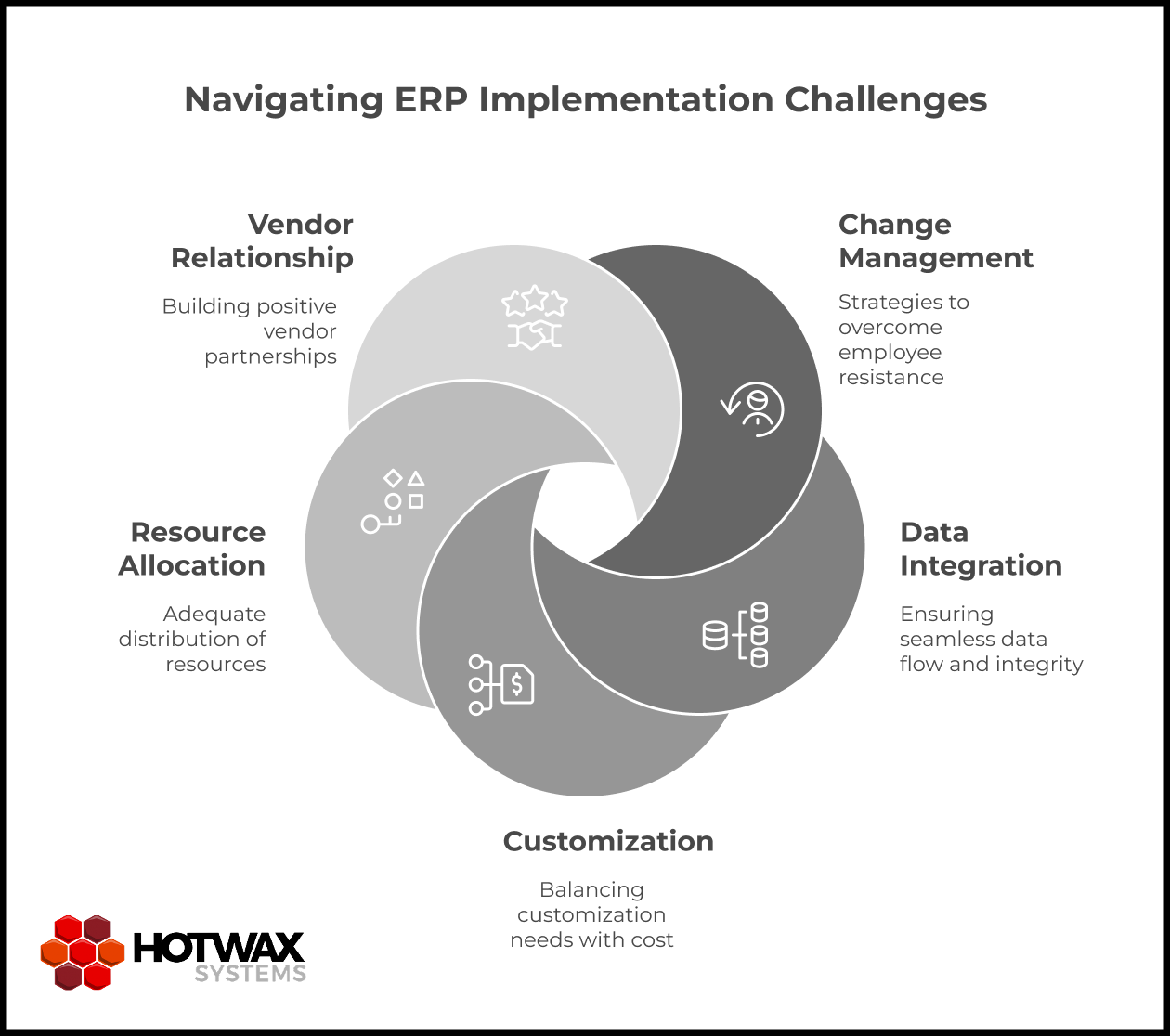
ERP system implementation is a complex undertaking. Some of the main challenges include:
- Change management: Resistance to change among employees can hinder adoption, so clear communication and effective change management are key to a smooth transition.
- Data integration: Reliable integration with existing systems and data sources is crucial for maintaining data integrity and accessibility.
- Customization: Balancing the need for customization against the risk of scope creep and rising costs takes careful planning and prioritization. Working with a seasoned team and a clear understanding of your requirements turns this from a risk into a benefit.
- Resource allocation: Adequate allocation of time, budget, and personnel is essential for a successful implementation. Clear communication and proper planning go a long way here.
- Vendor relationship: Building and maintaining a positive relationship with your ERP vendor is critical for ongoing support, updates, and future enhancements. Choose a partner who is experienced, communicative, and trustworthy, such as an experienced ERP consulting firm and implementation team.
When Should You Change Your ERP System?
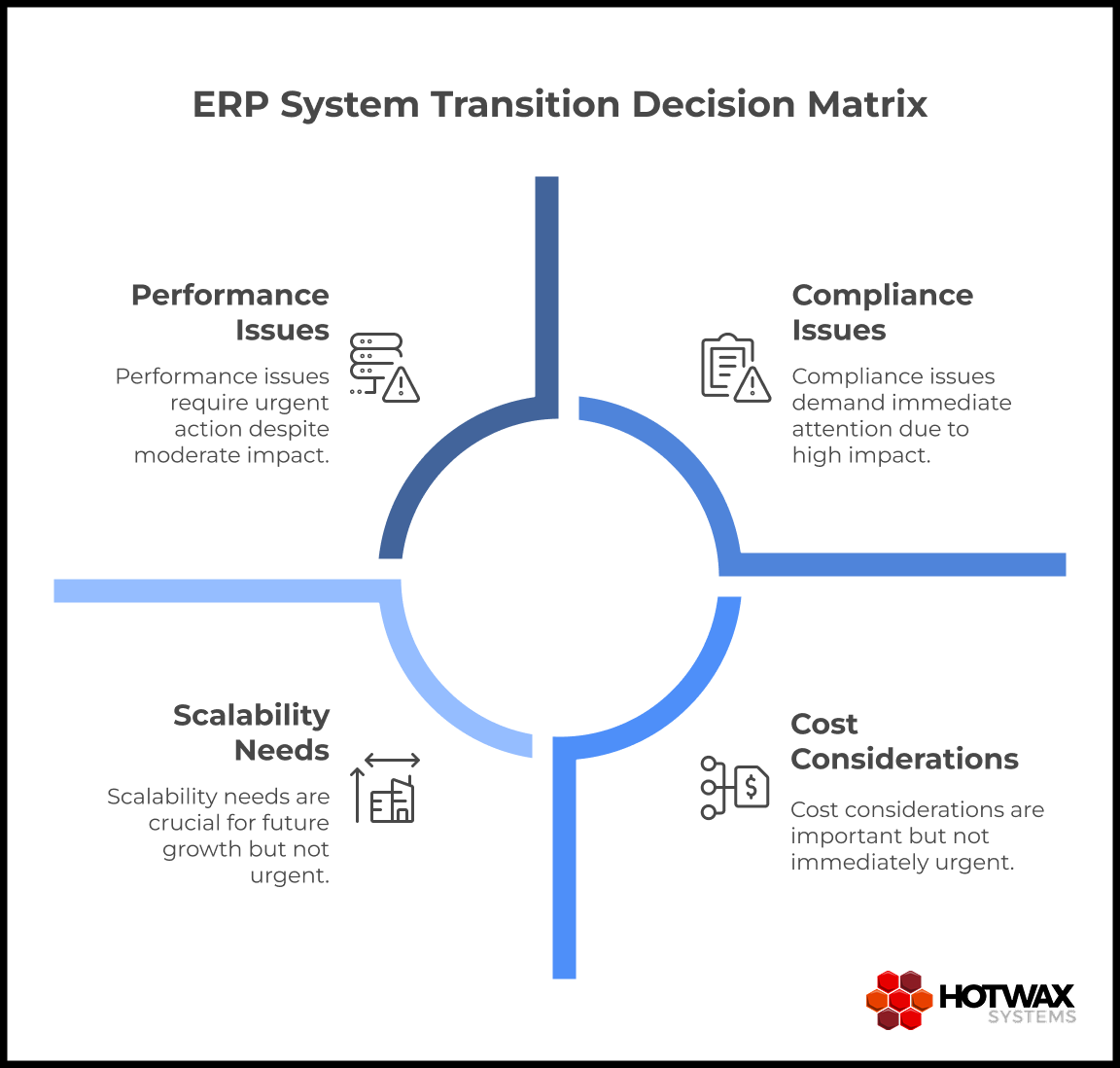
Deciding when to begin a legacy system migration depends on several factors, including:
- Performance issues: If your current ERP struggles to keep up with growing demands or has frequent downtime, it may be time for a change.
- Scalability: If your business is expanding or changing significantly, you need an ERP that can scale with you. An inability to scale is a telltale sign of an ineffective legacy system.
- Compliance: Changes in regulatory standards may require an upgrade to stay compliant and mitigate risk. If your existing system cannot adapt to your compliance requirements, that is a strong signal.
- Cost: If the cost of maintaining your legacy ERP outweighs the benefits, it is often more cost-effective to invest in a modern solution.
- Competitive advantage: To stay competitive, you need an ERP that enables innovation, agility, and strategic decision-making. If your system no longer does that, it is time to change.
Conclusion
A legacy system migration is a significant undertaking that rewards careful planning, strategic decision-making, and disciplined execution. By addressing the challenges of legacy ERP head-on and following a clear migration process, businesses can unlock the full value of their ERP investment and set up long-term success.
The vendor-selection step is also where the biggest strategic choice sits. Rather than replace one fixed product with another, a business can weigh a proprietary system against an open source ERP framework such as Apache OFBiz. On top of it, the company can build a custom ERP or business automation solution shaped to its own processes. It also owns the result outright: the codebase, the roadmap, and the data. Developed under the Apache Software Foundation, Apache OFBiz runs on a single underlying data model with modules for order management, warehousing, procurement, manufacturing, and more. That lets a company keep the parts that fit its operation and leave the rest.
If you are planning this move and want experienced guidance building a custom ERP on Apache OFBiz, talk to our team of experts at HotWax Systems to scope it at your own pace.
Topic: Enterprise ERP